Link your organisation to the Open Data platform
Link your MDC organisation to Luxembourg's Open Data platform (data.public.lu)↗ to automatically import Open Data dataset records into your MDC catalogue.
You must be a Catalogue Manager or Inventory Coordinator to link your organisation. Check your permissions.
-
Select the settings icon () beside your profile icon, and then select Orgs & Contacts. The Organisations page appears with a list of organisations you manage.
-
Search for your organisation and select Manage. The organisation details page appears.
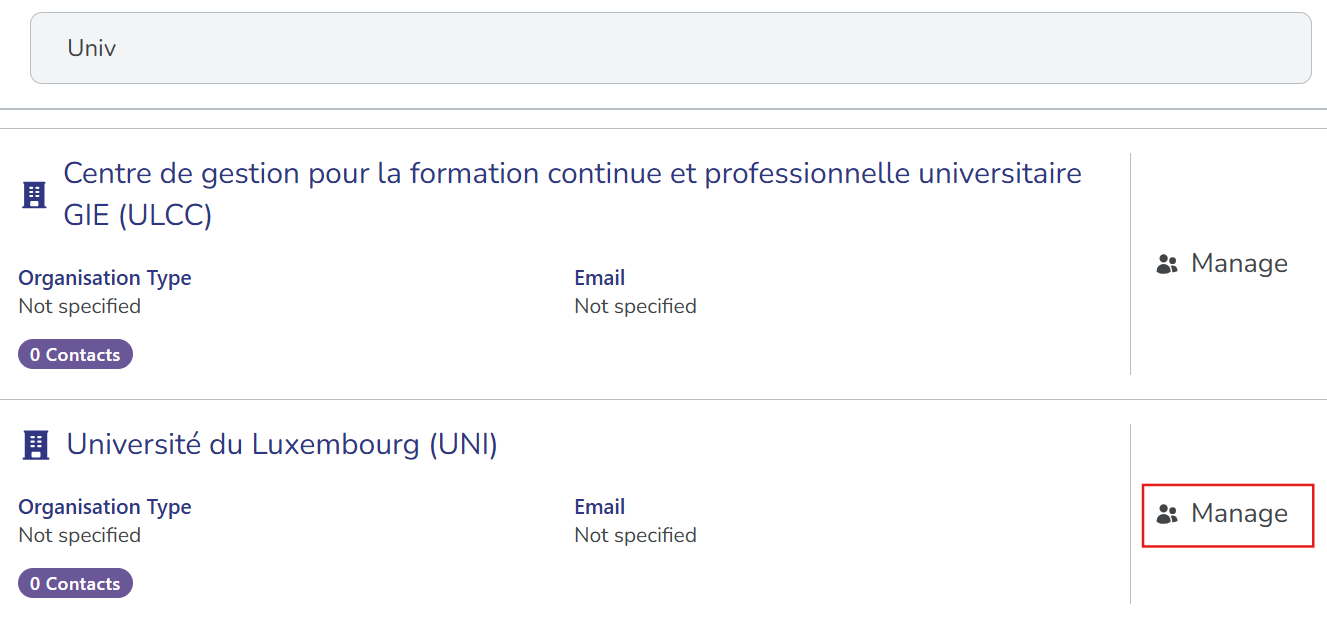
-
Select Manage External Integrations.
-
Select Link matching organisations. MDC automatically finds your corresponding organisation to link with and displays its ID. If your organisation is part of a parent or group entity, you can link with multiple organisations.
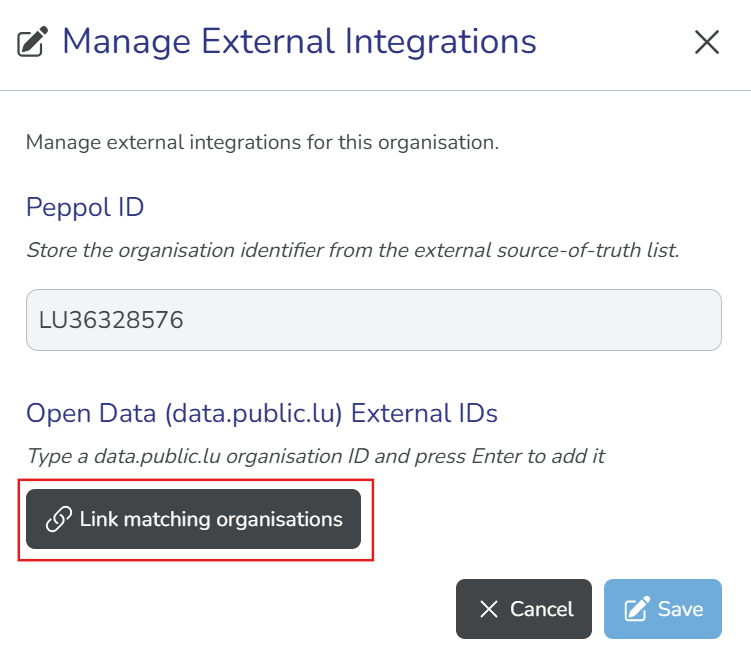
-
To remove an organisation from the link list, select the X icon beside the ID. To proceed with linking, select Save.
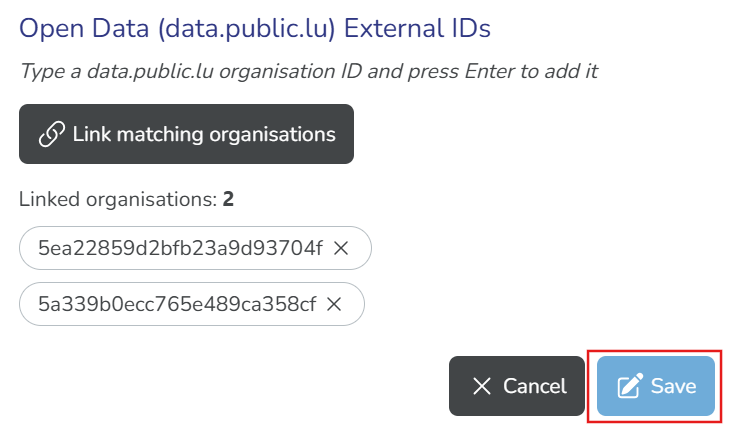
From this point, MDC automatically imports Open Data dataset records from your linked organisations. Your next step: Review Open Data dataset records.