Mark datasets as internal only
In this guide
Overview
After a dataset record is approved, you can either publish it for external visibility or mark it as internal. Marking datasets as internal keeps their visibility within your organisation, restricting access from other organisations in the ecosystem.
Mark a dataset as internal
To mark datasets as internal, you must be a Metadata Approver, a Catalogue Manager, or have the permission to set datasets as internal. Check your permissions.
-
Go to the Approved tab in the datasets panel.
-
Select View on the dataset record you want to mark as internal.
-
Review the dataset details found in the different tabs: Dataset, Distributions, Data Dictionary, Relations, Attributions, and Comments.
-
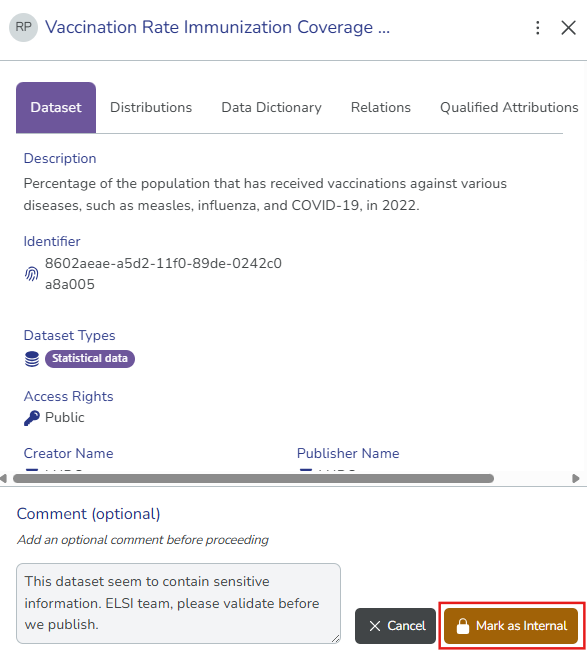
Select Mark as Internal. The comment field appears after you make your selection.
-
(Optional) Enter your comments explaining why you are marking the dataset record as internal, to provide context to other collaborators.
-
Select Mark as Internal to confirm. The dataset record now appears in the Internal Only tab.
- To publish the dataset record publicly, first select Approve for Publishing to return the dataset record to the Approved state.
- Select Revert to Draft if you need to make further edits.