Submit dataset records for review
In this guide
Overview
Submit dataset records for review after you have completed and reviewed all dataset details. By submitting datasets, you initiate the review process, allowing designated reviewers to validate the accuracy and completeness of the metadata before approval and publication.
To understand the full review process, see: The dataset record lifecycle.
Submit dataset records for review
To submit dataset records, you must be an Editor or have the permission to add datasets. Check your permissions.
-
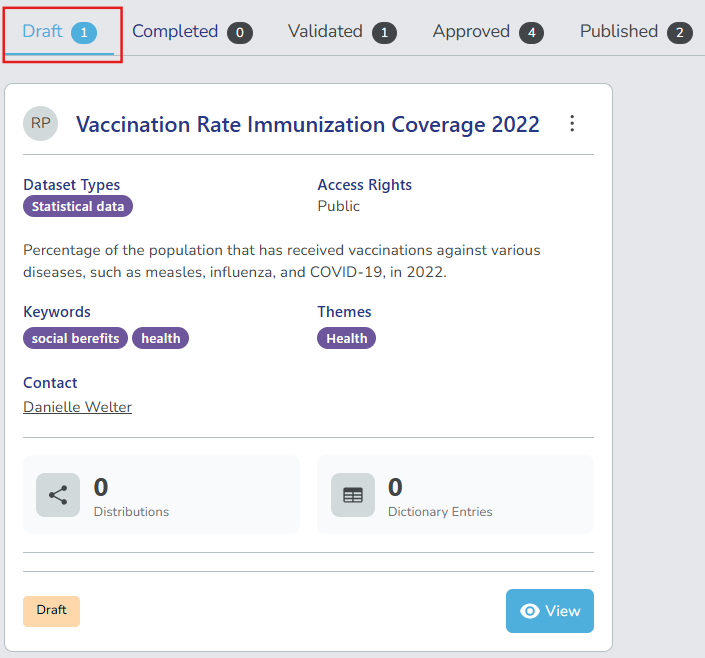
Go to the Draft tab in the datasets panel.
-
Select View on the dataset record you want to submit.
-
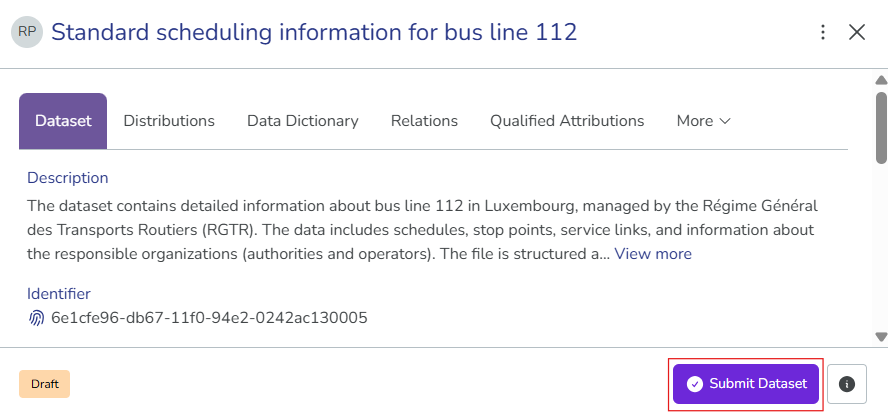
Review the dataset details and select Submit Dataset. The comment field appears.
-
(Optional) Enter your comments to provide context to reviewers or other collaborators.
-
Select Submit Dataset to confirm submission. After the dataset record is submitted, it appears in the Completed tab and is ready for review and validation.