Approve dataset records
In this guide
Overview
Approve dataset records that have been validated to confirm they meet relevant publication standards before making them available for publication. This can include legal, ethical, and quality requirements.
To understand how dataset records progress through different stages after approval, see the dataset record lifecycle.
Approve a dataset
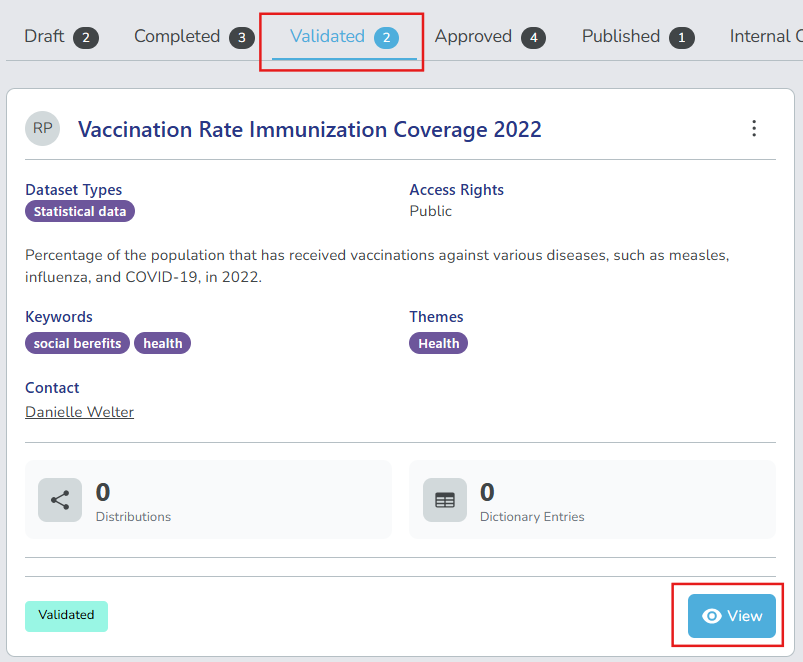
To approve datasets, you must be an Approver or have the permission to approve datasets. Check your permissions. Datasets ready for approval are found in the Validated tab of the datasets panel.
-
Go to the Validated tab in the datasets panel.
-
Select View on the dataset record you want to validate.
-
Review the dataset details found in the different tabs: Dataset, Distributions, Data Dictionary, Relations, Qualified Attributions and Comments.
-
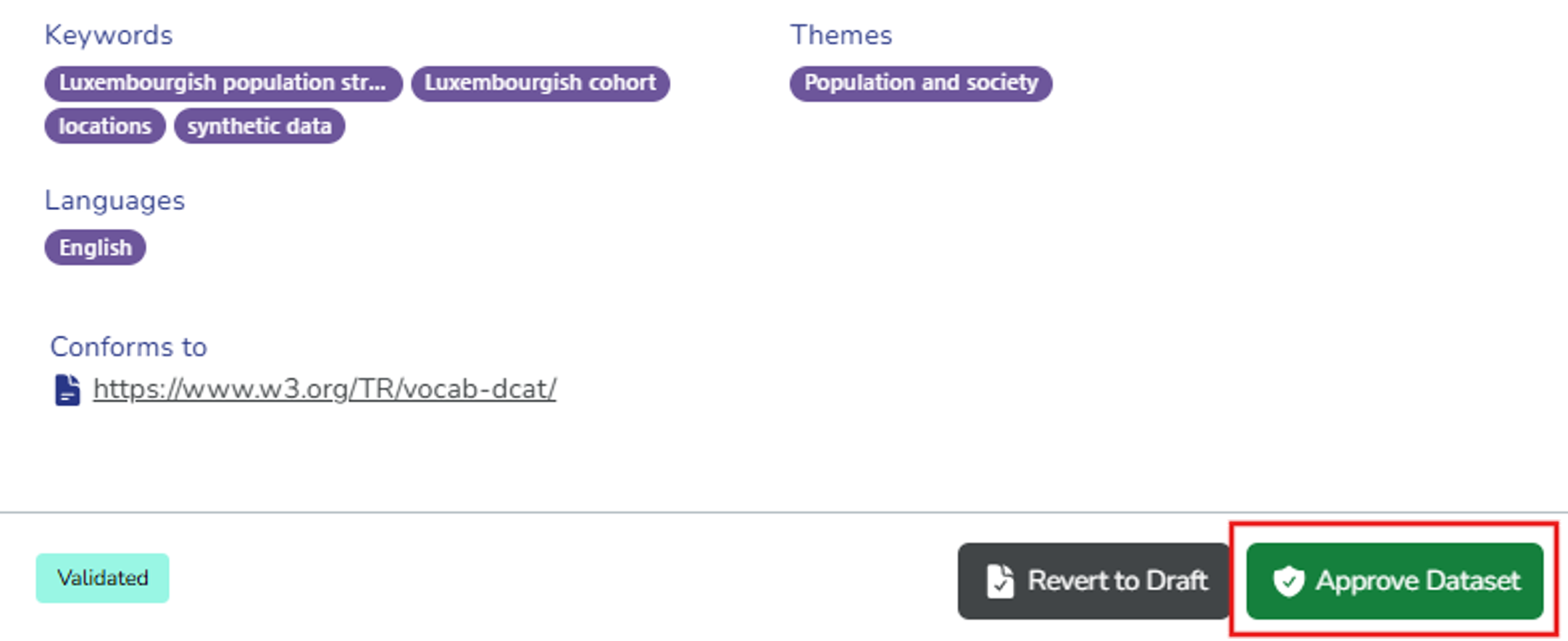
Select your action based on whether the dataset meets governance policies and compliance standards before publication:
-
Approve Dataset: If the dataset record passes. Add comments as needed to provide context to other collaborators, and then select Approve Dataset again to confirm approval. The dataset record moves to the Approved tab and is ready for publication.
-
Revert to Draft: If the dataset record needs changes. Add comments explaining the required changes, and select Revert to Draft again to confirm. The dataset record moves back to the Draft tab for edits.
-