Create health-related dataset records
For health-related datasets that fall within the scope of the European Health Data Space (EHDS) regulation, Metadata Capture supports documenting them using the HealthDCAT-AP metadata model↗. HealthDCAT-AP is an extension of DCAT-AP-LU with additional fields that enable data users to understand the context and content of health-related datasets.
The process for creating health-related dataset records is the same as creating standard dataset records, with the addition of filling out health-related metadata fields.
-
When creating a dataset record, select Yes to indicate that the dataset contains health-related data. This reveals additional health-related fields in the different sections of the dataset form.
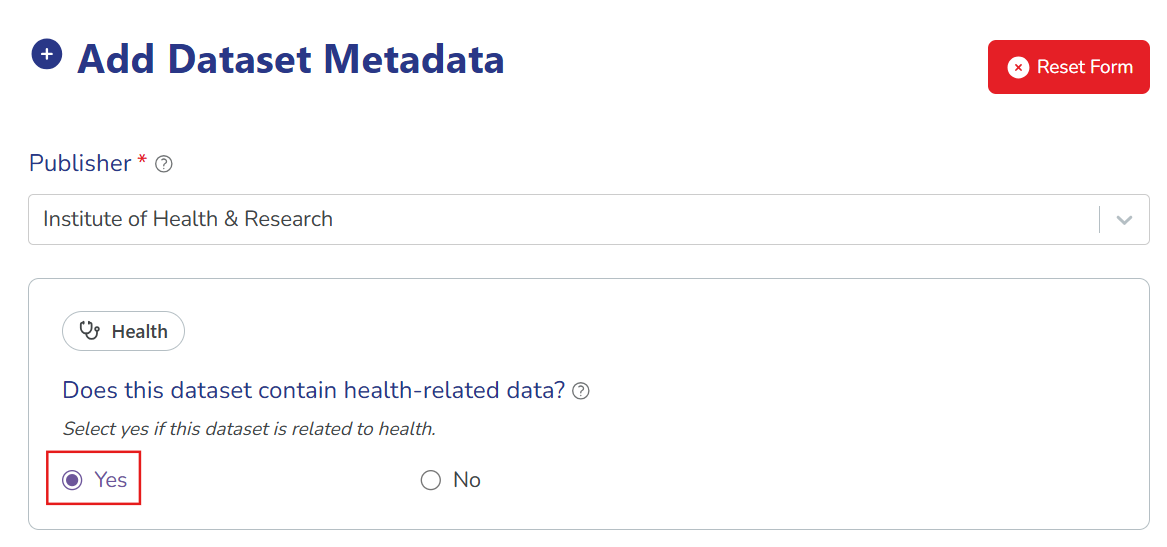 Don't see this option?
Contact your Catalogue Manager or Inventory Coordinator to enable health-related records for your organisation. This reveals the selector for "Does this dataset contain health-related data?" in the dataset form.
-
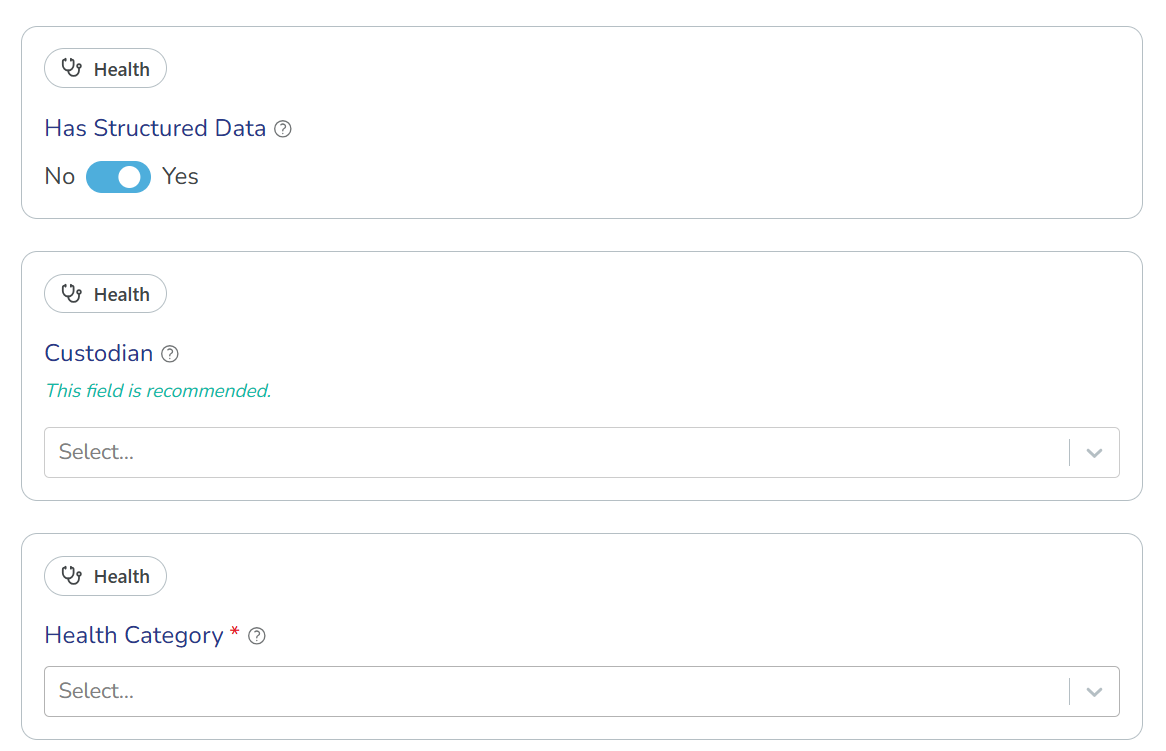
All health-related fields have a "Health" badge. Fill them out according to the HealthDCAT-AP metadata model↗.
Here's an example of the health badges in the dataset form:
-
Continue filling out the dataset form like you would for standard dataset records. For full guidance on completing the form, see: Create new dataset records.