Add organisations
In this guide
Overview
Add organisations to the system to properly attribute dataset ownership and provide accurate contact information. These organisations can serve as publishers or creators of datasets and their names appear in published dataset metadata, ensuring clear attribution and accountability.
How organisations work: Once you add organisations, Editors can reference them when they add or edit datasets.
- As publisher: The organisation responsible for making the dataset record available
- As creator: The organisation that originally created or compiled the dataset record
- In qualified attributions: Organisations can be assigned specific roles (such as Author, Custodian, Distributor, Originator, etc.) to document all parties involved with a dataset. See: Add qualified attributions
- As contact point: You can add contacts to organisations and Editors can set them as contact points for datasets. See: Add contacts
- For accuracy checks: You can keep your organisation details up to date with official information by detecting discrepancies such as when organisations are renamed, removed, or added in the official record. See: Review organisation changes.
Add an organisation
To add organisations that can be referenced in datasets, you must be a Catalogue Manager or have the permission to manage organisations. Check your permissions.
-
Select the settings icon () beside your profile icon.
-
Select Org & Contacts. The list of existing organisations appears.
-
Select Expand Form and fill out the organisation form.
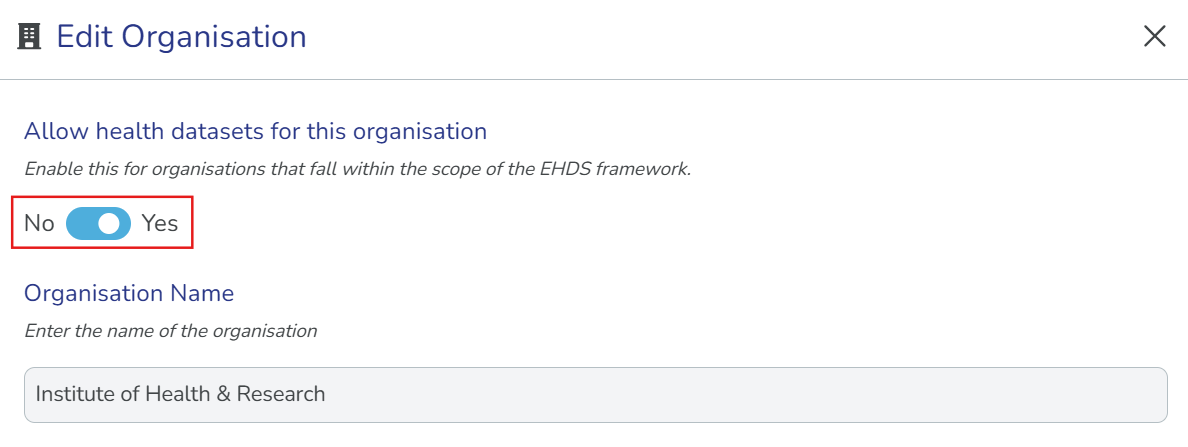
Health datasets (EHDS)Enable Allow health datasets for this organisation for organisations who are considered health data holders in the scope of the EHDS regulation↗︎, Article 2(2)(t), such as hospitals, biobanks, and other bodies that hold health data available for secondary use as defined in Article 51 of the EHDS regulation. When enabled, Editors in that organisation will be able to create health-related dataset records.
-
Select Create Organisation. The new organisation appears in the list below the form.
Manage existing organisations
After you create organisations, you can edit or delete them as needed.
-
In the organisations list, search for the organisation you want to manage.
-
Select Manage next to the organisation.
-
Choose your action:
- Edit: Make changes to the organisation details.
- Deprecate: Deprecate organisations that are no longer active, but are still referenced by datasets. Deprecated organisations remain in the system for historical reference but cannot be selected for new datasets.
- Delete: Permanently remove the organisation from the system. You can only delete organisations that are not referenced by any datasets.
After you add an organisation, Editors can reference it when they add or edit datasets. The organisation can be selected as the publisher or creator, ensuring accurate attribution in your data catalogue.